
UI (User Interface) and UX (User Experience) are essential components of modern digital product development. While UI focuses on the visual and interactive elements of websites and applications, UX emphasizes usability, accessibility, and overall customer satisfaction. Professional UI UX design services help businesses create engaging digital experiences that improve user interaction and platform usability.
UI UX Design and Development
Delivering UI UX design and development services that create intuitive, engaging, and user-focused digital experiences.
What is UI/UX Design?
User Interface (UI) Design
UI design focuses on creating interface elements that users interact with across websites, applications, and digital platforms. This includes menus, buttons, typography, layouts, and icons. The objective is to develop a visually appealing and user-friendly interface that simplifies navigation and improves usability.
UI designers focus on:
- Visual aesthetics: Using layouts, typography, colors, and graphics to create attractive digital interfaces.
- Layout optimization: Structuring interface elements to improve user navigation and interaction.
- Consistency: Maintaining uniform design elements across all digital platforms for a seamless experience.
User Experience (UX) Design
UX design focuses on improving the overall experience users have while interacting with a digital product. It emphasizes usability, accessibility, performance, and customer satisfaction throughout the user journey.
UX designers focus on:
- User research: Understanding audience behavior, preferences, and user expectations.
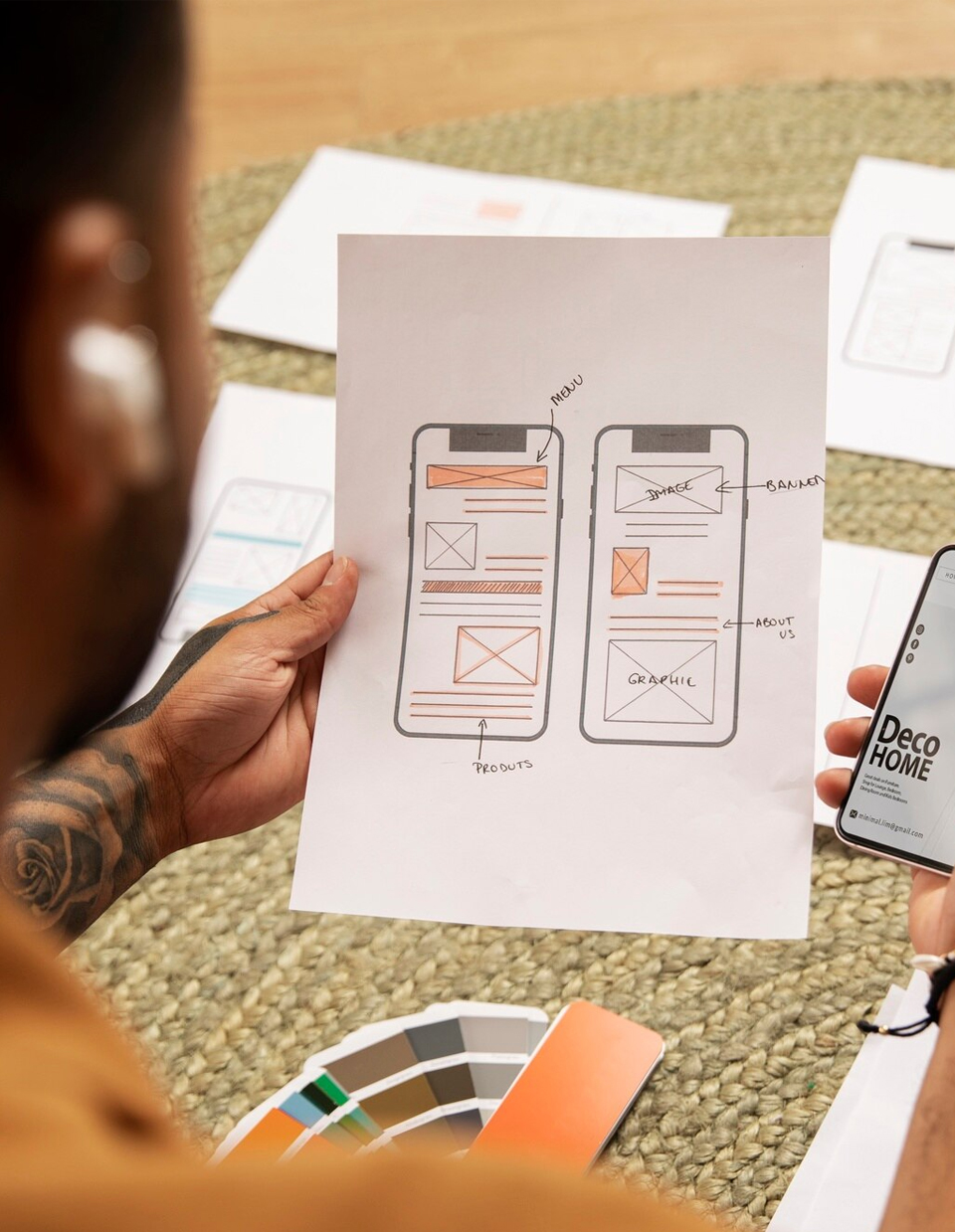
- Wireframing and prototyping: Creating interactive layouts and prototypes before development implementation.
- Usability testing: Evaluating whether the digital platform is easy to use and aligned with user needs.

The Role of UI/UX in Design and Development
UI/UX design and development work together to create effective digital products that improve engagement and customer satisfaction. Both disciplines require a strong understanding of user behavior, design principles, and development technologies. Poor interface design and weak usability can negatively impact customer retention and digital performance.
UI/UX Design in Web and App Development
Whether for websites or mobile applications, UI/UX design directly affects user engagement, accessibility, and customer satisfaction. A responsive and visually appealing digital platform encourages users to interact more effectively and return for future use.
- Web development: In website development, UI UX strategies ensure responsive layouts, fast-loading pages, intuitive navigation, and accessibility across multiple devices.
- Mobile app development: Mobile applications require optimized layouts, touch-friendly interactions, and strategically placed interface elements to maximize usability on smaller screens.
Importance of UI/UX in Digital Transformation
Businesses are increasingly investing in responsive UI UX design solutions to support digital transformation initiatives and improve customer experiences. Whether for enterprise platforms, SaaS applications, or eCommerce websites, user experience plays a critical role in increasing conversions, customer retention, and brand value.

UI/UX Design Process
Creating successful UI UX solutions requires a structured process involving research, planning, design, testing, and optimization. Below is an overview of the standard UI UX development workflow.
1. Research and Discovery
The process begins with understanding user expectations, business goals, and market requirements. This phase commonly includes user interviews, competitor analysis, and audience research.
- User personas: Detailed profiles representing ideal users and their goals, behaviors, and preferences.
- Market research: Evaluating competitors and identifying strengths and weaknesses in existing digital products.
2. Wireframing and Prototyping
After the research phase, designers create wireframes and interactive prototypes to visualize layouts, navigation structures, and platform functionality.
- Wireframes: Basic layouts outlining the structure and content hierarchy of digital platforms.
- Prototypes: Interactive models that simulate the functionality and workflow of the final product.
3. UI Design and Visual Elements
This phase focuses on creating the visual appearance of the product, including branding elements, color schemes, typography, and iconography.
- Typography: Selecting readable and visually appealing font styles.
- Color schemes: Designing visually balanced color combinations aligned with brand identity.
- Iconography: Creating simple and user-friendly interface icons.
4. Usability Testing
Usability testing helps evaluate user interaction and identify areas for interface improvement before final deployment.
- A/B testing: Comparing multiple design versions to determine which performs better for users.
- Heatmaps: Tracking user interaction patterns including clicks, scrolling, and navigation behavior.
Tools for UI/UX Design and Development
Various design and prototyping tools support the UI UX development process, helping teams improve collaboration, prototyping, and visual design workflows.
1. Sketch
Sketch is a widely used vector-based design platform for creating user interfaces, wireframes, and interactive prototypes for digital applications and websites.
2. Figma
Figma is a cloud-based collaborative design tool that allows teams to create wireframes, prototypes, and high-fidelity digital interfaces in real-time.
3. Adobe XD
Adobe XD supports UI UX design workflows by helping designers create wireframes, prototypes, and interactive digital experiences integrated with Adobe Creative Cloud tools.
4. InVision
InVision is an interactive prototyping and collaboration platform that helps design teams create mockups, gather feedback, and improve digital user experiences.

Best Practices for UI/UX Design
To create successful digital experiences, businesses and designers should follow essential UI UX design best practices:
- Consistency: Maintain consistent colors, layouts, typography, and design patterns across digital platforms.
- Simplicity: Create intuitive interfaces that reduce user confusion and improve navigation efficiency.
- Accessibility: Ensure digital platforms are accessible to users with different abilities and accessibility needs.
- Feedback: Provide visual cues, animations, and interaction responses that guide users through digital workflows.